Question the image.
Inspect the details.
Look at Content Credentials, embedded metadata, visible AI labels and passive visual signals, with each finding explained.
Check an imageThere’s more to an image than meets the eye. Check images and videos for AI signals, trace their origins, and understand what’s behind the pixels.
Upload the original if you have it. We identify the media and show the matching report.
No files selected.
Loading secure verification…
Uploaded originals are kept privately for future analysis until you delete them. The report expires separately. Use “Delete uploads and report” on your scan page. Privacy details.
Private upload. Keep this browser’s access token to manage deletion.
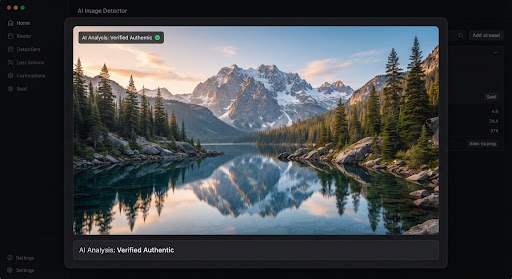 alpine_landscape.jpg LOOKING BENEATH THE SURFACE
The available signals don’t support a confident conclusion. Here’s what each check can tell you.
Your file stays yours. Uploaded originals are kept privately for future analysis until you delete them from your scan page.
About your privacyDifferent media needs different checks. Get the relevant evidence without losing the bigger picture.
Look at Content Credentials, embedded metadata, visible AI labels and passive visual signals, with each finding explained.
Check an imageSample key moments, compare visual signals over time and see audio coverage separately. A short edited moment shouldn’t get lost.
Check a videoA single clue rarely tells the whole story. We bring independent checks together, and tell you when a piece is missing.
Start with the details beneath the surface. Inspect format, camera information and embedded editing software.
Where supported, verify C2PA signatures and source declarations. Missing credentials are a gap in context, not proof of AI.
Look for visible AI labels and model-based signals. Uncalibrated visual signals stay inconclusive, with coverage clearly shown.
See the evidence together, with separate categories for generation, manipulation and audio. Every limitation stays visible.
No mystery score. No blanket promises. Every report separates available evidence from checks that haven’t run.
| Detection layer | What it can tell you | Basic Scan |
|---|---|---|
| Metadata & file history | File details and embedded camera or editing software | Included |
| C2PA provenance | Signed source declarations, when credentials and a verifier are available | Where supported |
| Visible AI labels | On-image text and labels, when OCR is available | Where supported |
| Visual AI signals | Passive detector signals; no calibrated probability in this beta | Calibration pending |
| Video frame analysis | Frame-level signals and suspicious time segments | Included |
| Face swaps & AI voices | Separate, specialized checks reserved for Deep Scan | Not tested in Basic |
Evidence, not a guarantee. Missing credentials or watermarks don’t prove authenticity. During beta, passive signals remain inconclusive until validated; unavailable checks are always identified in your report.
Whether it’s a breaking story or a photo in your feed, make room for a second look.
Check a source image, inspect its history and find the questions worth asking next.
Understand the media you share and bring more context to conversations about AI.
That too-perfect photo? Take a closer look before it becomes your next repost.
Understanding the limits is part of understanding the result.
No detector can prove that an image is real in every case. AI Fake Scan looks for available evidence of generation or editing. Missing metadata, absent watermarks or a low model score do not establish authenticity. An inconclusive result means there is not enough reliable evidence to make a stronger statement.
Both media uploaders accept images and videos. Images include JPG, PNG, WebP, AVIF, HEIC/HEIF, BMP, single-page TIFF, GIF and APNG, up to 20 MB and 50 megapixels. Videos include MP4, MOV, WebM, M4V, MKV, AVI, MPEG and 3GP, up to 200 MB and two minutes. Animation uses bounded frame sampling. Decoding and safety limits are checked after upload.
Uploaded originals are retained privately for future analysis until you choose Delete uploads and report on your scan page. Reports expire after 45 minutes; expiry does not delete originals. Keep the scan URL and this browser’s access token to manage deletion. When persistent browser storage is unavailable, access may be limited to the current session.
Basic Scan inspects visible AI labels and supported provenance. The dedicated SynthID checker lists documented providers and their current access status. Supported OpenAI image and audio checks can run when enabled; other integrations remain visibly pending, with official routes where available. It does not detect every AI watermark. A missing watermark does not prove authenticity.
The current passive detector has not passed our owned-data calibration and unknown-generator evaluation gate, so its signals do not produce a measured AI probability. Only a trusted AI provenance signal can support a stronger conclusion in this beta. Inconclusive can also reflect missing evidence or incomplete detector coverage.
Basic Scan samples video frames and checks available audio-track information, but it does not classify cloned or synthetic speech. General AI speech classification is reserved for Deep Scan, which is not publicly available yet. The separate SynthID checker can check supported OpenAI audio watermarks when enabled; it does not classify every synthetic voice. When speech classification has not run, the report says “not tested.”
Bring your curiosity. We’ll help you explore the evidence.
Scan your media Images & videos · Private uploads · Clear limitations