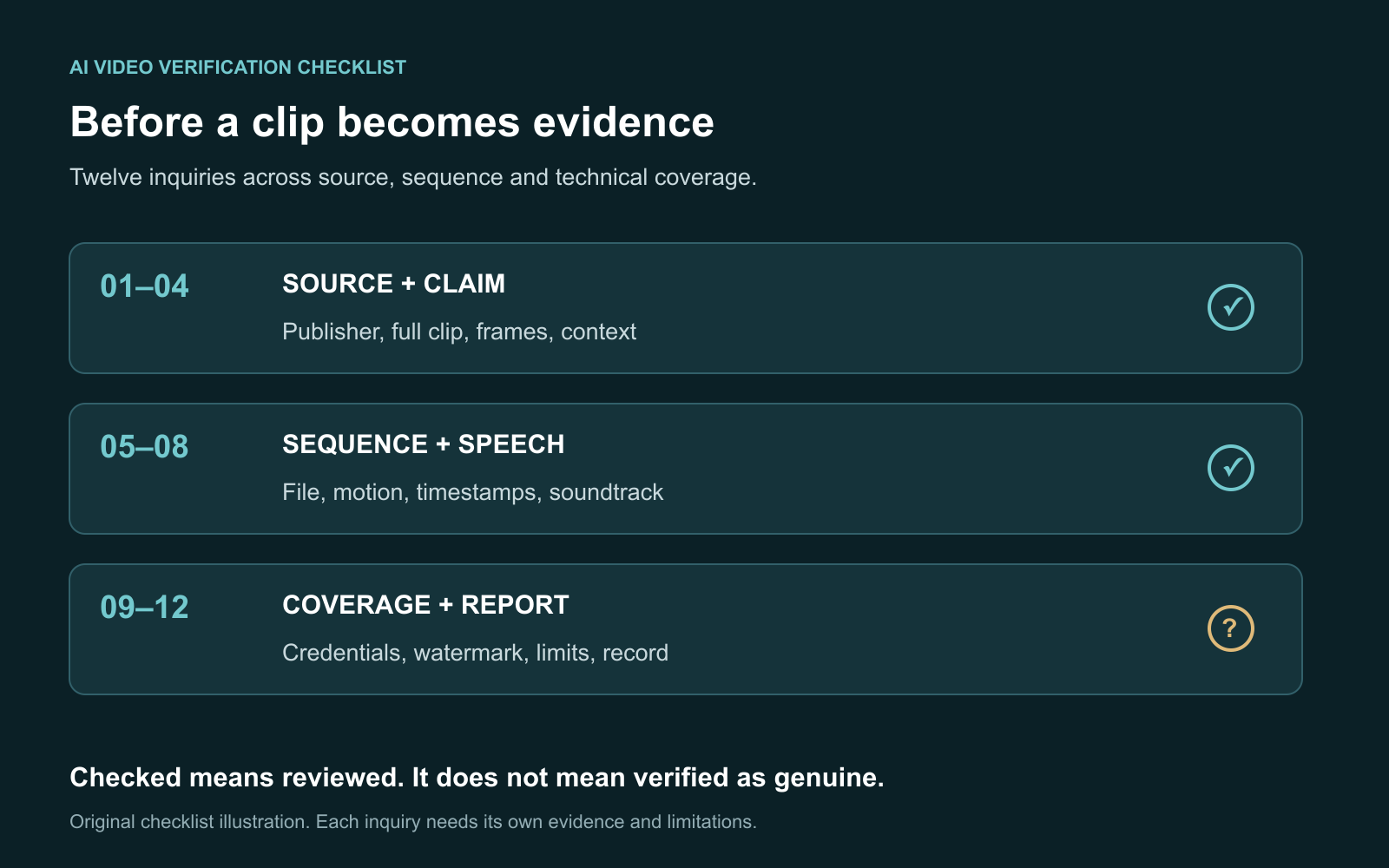
Use this AI video verification checklist to establish the source, test the caption and inspect the recording before sharing it as evidence. Preserve the original file, review motion and sound separately, and record what any detector actually checked. An unresolved item should remain unresolved rather than becoming a real-or-fake verdict.
The checklist is designed for clips in a feed or group chat: a dramatic event, an apparent celebrity statement or an unexpected scene. It helps you distinguish a production question from a misleading date, location or caption.
I treat the record of the investigation as part of the result. Another person should be able to see the source, revisit the same timestamps and understand why a conclusion was reached.
How should you use this checklist?
Work in three passes: source and claim, sequence and speech, then technical coverage and reporting. For each item, record checked, unresolved or not applicable, followed by the evidence. Checked means you completed the inquiry; it does not mean the clip passed an authenticity test.
If a meaningful source or coverage gap remains, avoid sharing the recording as a verified account. You can still explain what was found and request the missing material.
| Pass | What you investigate | Record to keep |
|---|---|---|
| Source and claim | Publisher, date, location and full context | URLs and the exact claim |
| Sequence and speech | Continuity, edit points and soundtrack | Timestamps and comparisons |
| Coverage and report | Credentials, watermark and detector scope | Findings and unresolved checks |
For a detailed introduction to the underlying methods, read how to tell if a video is AI-generated. This page supplies the worksheet and reporting structure.
Pass 1 What should you check about the source and claim?
1. Save the exact claim
Write the caption's claim in one sentence. Include the alleged event, date, place, person or words. A clip can be genuine while the accompanying statement is wrong, so make the target of your investigation explicit.
2. Find the original or longer upload
Record the account and page where you received the clip, then search for its earlier or full version. Look for the publisher's identity, a consistent history of posts and any production disclosure. Do not automatically treat the first match you find as the original.
3. Search representative frames
Choose clear frames containing a distinctive location, sign or object. Search a full frame and a meaningful crop, then read the matching pages. Google's image-context guidance helps explain the context those searches may reveal. Matches are leads; missing matches do not establish generation.
4. Check date, place and surrounding events
Compare the claim with a longer recording or independent accounts. Search distinctive spoken phrases and event names. If an older upload contains the same footage, record that chronology finding separately from any claim about AI.
WITNESS's guide to verifying eyewitness video provides a foundation for assessing recordings as evidence. The useful question is what the available material supports, not only whether it looks convincing.
Pass 2 What should you check in the recording?
5. Preserve the file version and soundtrack
Keep the best available file unchanged. Record its duration and whether it is a repost, screen recording or excerpt. Preserve the soundtrack even if it is the part you distrust. Review a copy, and note the start point of any extracted interval.
6. Watch once at normal speed
Review the whole clip before concentrating on an unusual frame. Note abrupt beginnings, endings, cuts and moments worth revisiting. A paused transition can look different from the action seen in sequence.
7. Follow objects across adjacent frames
Replay suspicious intervals slowly. Follow a face, hand, held object or background feature as it moves and reappears after an obstruction. Record the observed change and check for blur, camera movement, occlusion or a conventional edit as an explanation.
8. Investigate the speech separately
Compare a claimed statement with an identifiable full recording or transcript where available. Listen for changes around important words and check whether lip movement is consistently displaced. Dubbing or synchronization errors can also cause mismatch; neither an odd sound nor a convincing voice settles the production question.
Our AI video detector reports audio coverage separately. Basic audio inspection does not classify cloned or synthetic speech, and Basic Scan does not include specialized face-swap classification. Read our deepfake guide when identity manipulation is the central concern.
Pass 3 Which technical checks actually ran?
9. Read any available credentials
Inspect the validation result, signer and recorded actions. Determine whether an AI-related record concerns complete generation or an edit. The C2PA explainer describes attributed provenance bound to media, rather than certification of a story's truth. Missing credentials do not establish a production method.
The credential results guide explains why validation and interpretation are different steps. Do not turn a recorded software action into a claim that every frame was fabricated.
10. Use a supported official watermark verifier
As checked on October 12, 2026, Google's Gemini verification instructions describe checking an uploaded video for SynthID. Read the explicit watermark result and its coverage. Gemini's documented SynthID coverage is Google AI media, not every generator.
A reported portion of a video does not imply a watermark was detected in every frame there. No detected mark does not exclude other systems. Follow the SynthID guide for an official route, and distinguish that check from AIFakeScan's own capabilities.
11. Read detector sampling and unavailable checks
Ask whether the scan examined every frame or sampled moments, and whether face or voice classification actually ran. The AIFakeScan methodology states that sampled video analysis can miss brief edits and unsampled moments. A time segment directs further review; it does not define a precise edit boundary.
In the current beta, calibration and evaluation remain incomplete. Passive-only findings stay Inconclusive, and no validated accuracy percentage or measured AI probability is claimed. Deep Scan is not publicly available. Failed, unsupported and unavailable checks should be recorded as gaps.
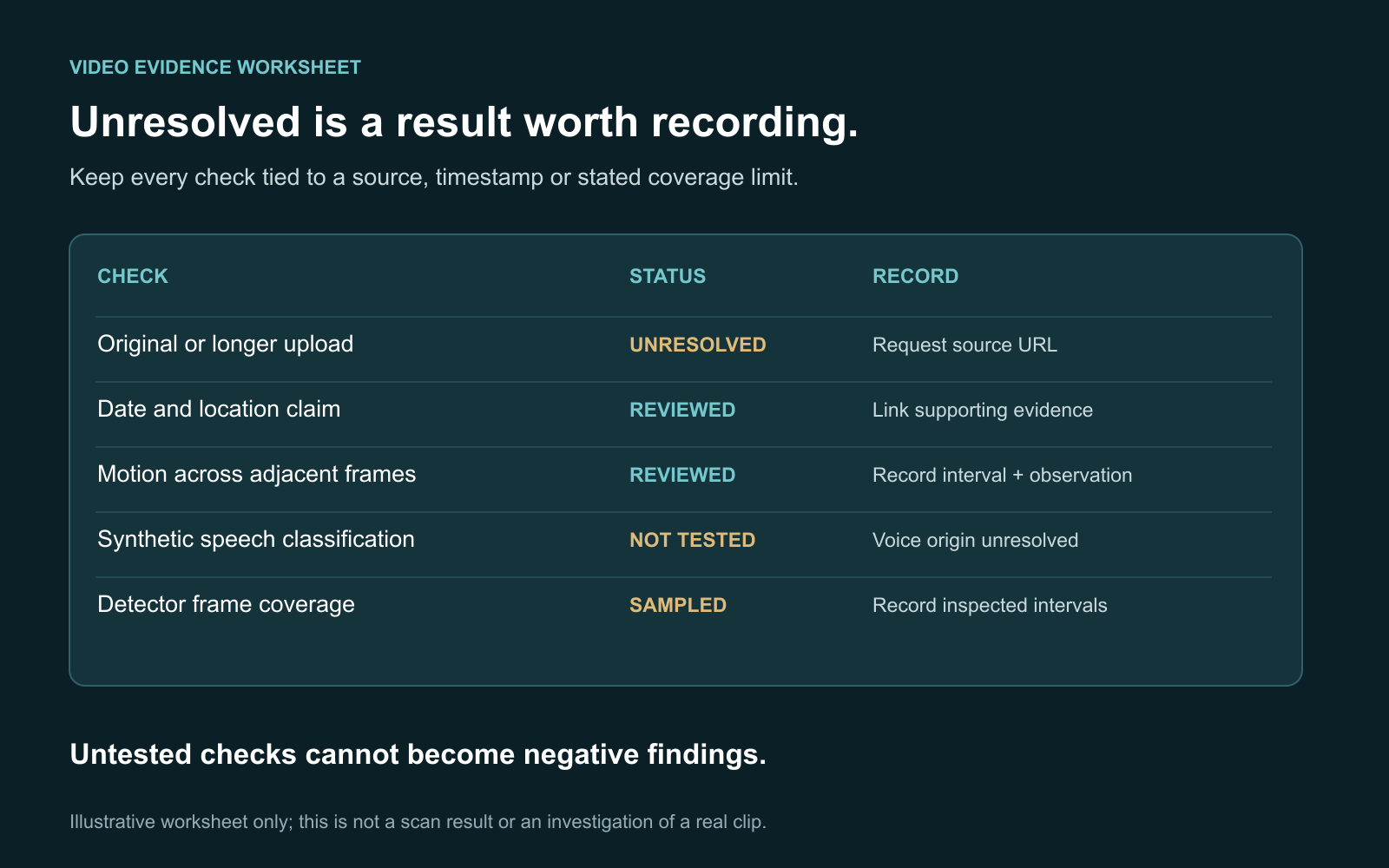
This worksheet is an original illustration, not a detector report. Its unresolved rows show how to document missing evidence rather than infer a negative finding.
12. Write a conclusion for the exact claim
Separate source findings, your observations and attributed tool output. State which file and intervals were examined, then list the unresolved questions. Do not average unrelated detector scores or treat a majority vote as proof.
| Finding | Defensible report | What it does not establish |
|---|---|---|
| Earlier upload predates the caption | The date claim is contradicted | AI created the footage |
| Creator discloses a generated insert | Attribute the disclosed segment | Every other frame is verified |
| Only sampled frames were reviewed | State the limited coverage | The full clip was assessed |
| Voice classification did not run | Speech origin remains untested | The voice is genuine |
How do you keep a useful evidence record?
Use this template with the AI video verification checklist. Add links and timestamps, not only labels.
- Claim: the exact sentence you are checking.
- Source: received URL, publisher and original or longer version found.
- File: duration, version, soundtrack and any excerpt offset.
- Context: evidence for the stated date, location or event.
- Observations: intervals reviewed and alternative explanations considered.
- Technical findings: credential status, watermark result and detector coverage.
- Unresolved items: missing originals, untested speech or unsupported checks.
- Conclusion: the narrow statement the collected evidence supports.
An illustrative example: a 15-second clip is captioned as today's flood. You locate the same sequence in an older full recording. Your conclusion concerns the false date claim; you have not established AI generation. If no voice check ran, the soundtrack remains untested even if the visual context is resolved.
I would keep that distinction in the final note. It allows a reviewer to check the chronology without inheriting an unsupported synthetic-media accusation. This example is a fictional teaching scenario, not a reported test.
FAQ
Does completing the checklist prove a video is real?
No. Completion records the inquiries made and their findings. Important evidence can still be missing, and source context, visuals and speech may remain independently unresolved.
Can one odd frame prove AI generation?
No. Review neighboring frames and a better copy, then test ordinary explanations such as blur or a cut. A specific anomaly is a lead for investigation.
What if the video has no sound?
Record whether the source is a silent recording or an excerpt with audio removed. Do not infer anything about an absent or unseen original soundtrack.
What should you do when tools disagree?
Preserve each tool's finding and stated coverage. Seek an original file or stronger production history rather than combining different scores into a final probability.
Can a real clip still spread misinformation?
Yes. A wrong date, location, caption or omitted context can mislead without generated footage. Verify the claim alongside the media's production history.
Your next step
Save the clip and claim, fill in the three passes, and use the video detector for supported technical evidence. If your material is a still picture, use the separate AI photo versus real photo comparison to distinguish capture, generation and later edits.