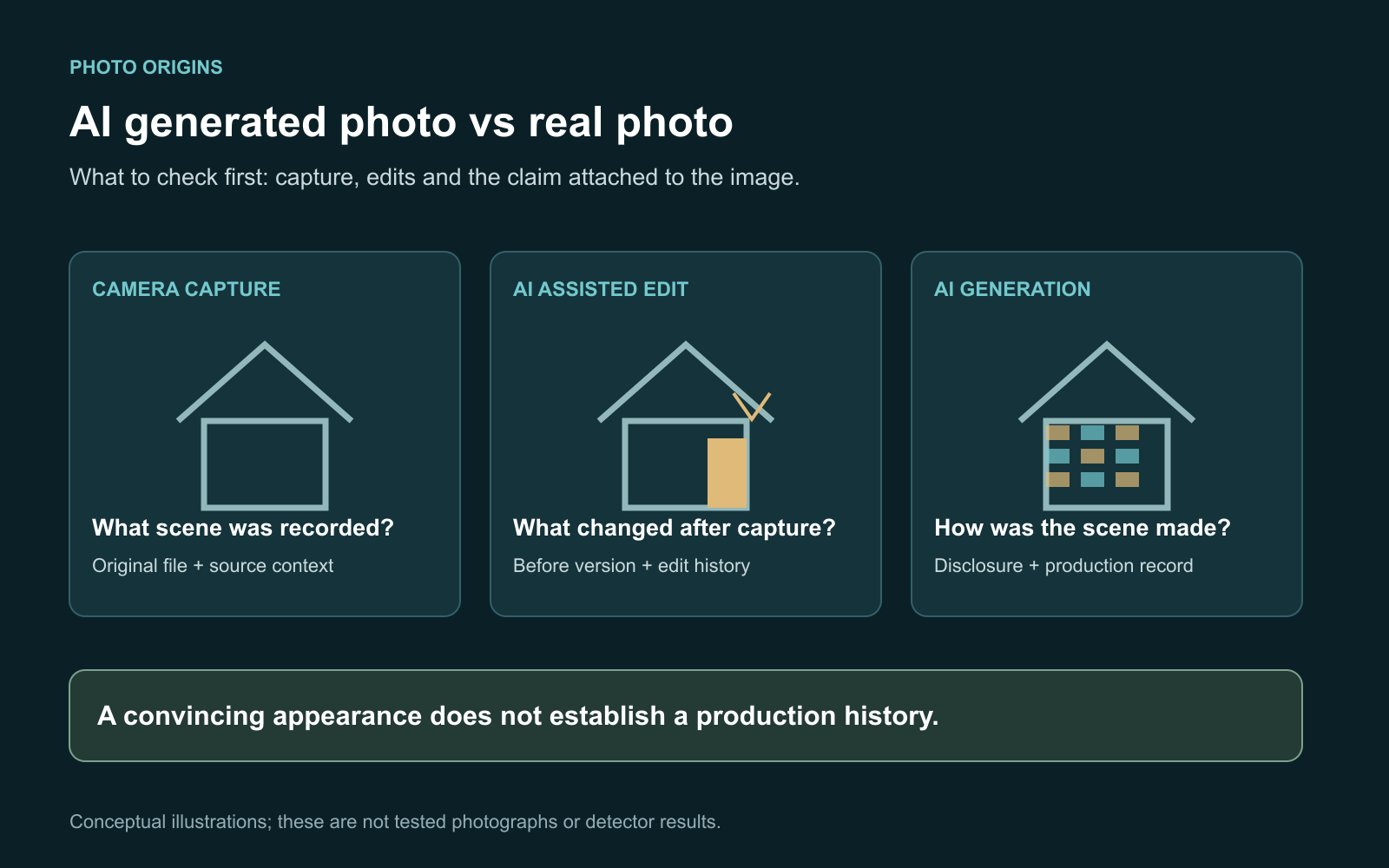
An AI generated photo vs real photo comparison should start with how the picture was made, not how convincing it looks. Seek the original source and file, inspect available creation records, and use visual or detector findings as supporting evidence. Also allow a third possibility: a real photograph that was partly edited with AI.
That third category matters. A camera may have captured the person while a generator supplied the background. Calling the whole image either real or fake can hide the exact change you need to investigate.
I find the comparison more useful when it answers a specific question: was this scene photographed, was something added, or is the accompanying story accurate? Those questions require different evidence.
What does a real photo mean in this comparison?
For this guide, a camera-origin photograph means a camera captured the underlying scene. It may still have been cropped, color corrected or retouched. A fully generated picture depicts a scene synthesized by a model. An AI-edited photograph combines camera material with a generated addition, removal or replacement.
These are working categories, not automatic labels assigned by an upload tool. A file can contain a mixture, and its history may be unavailable. If the evidence does not establish the production method, use unknown rather than forcing a binary answer.
| Production category | Question to investigate | Useful evidence to request |
|---|---|---|
| Camera-origin photograph | What was actually captured? | Original file and source context |
| AI-edited photograph | What changed after capture? | Before version and editing history |
| Fully generated picture | Who generated and disclosed it? | Creator disclosure and generation record |
| Unknown or mixed history | Which parts remain unsupported? | Better source material and precise claims |
For the broader step-by-step investigation, see our guide to detecting AI-generated images. Here, the focus is choosing evidence that distinguishes these production categories.
Which evidence can distinguish generation from editing?
Ask for a record that addresses the change you suspect. An earlier version may show the same person in a different setting. A creator may disclose a generated illustration. A file history may record an AI-assisted edit. Attribute each finding to its source and describe its scope.
Content Credentials are signed records of creation and editing history. The Content Authenticity Initiative FAQ explains that compatible tools can record AI generation or camera capture and later edits. Credentials are not a universal fake-photo verdict, and missing credentials do not identify the production method.
Use the C2PA checker to inspect supported file records, then review their validation, signer and actions. A valid record about an edit should be reported as an edit; it is not automatically evidence that the entire scene was generated.
The C2PA explainer also separates provenance from factual truth. Signed history does not certify a caption, location or story. Ordinary camera metadata is a different kind of clue and should not be treated as equivalent to a signed history.
How should you compare an original with a shared copy?
First establish which file you have. A screenshot is a new capture of displayed content. Its own file fields do not describe the original scene. A cropped or exported copy may also lack the context needed to interpret an apparent defect.
If the creator supplies an earlier version, compare the full composition before zooming into details. Note differences in subjects, background, object positions and boundaries. Ask what operation caused the change rather than assuming every visible difference was AI.
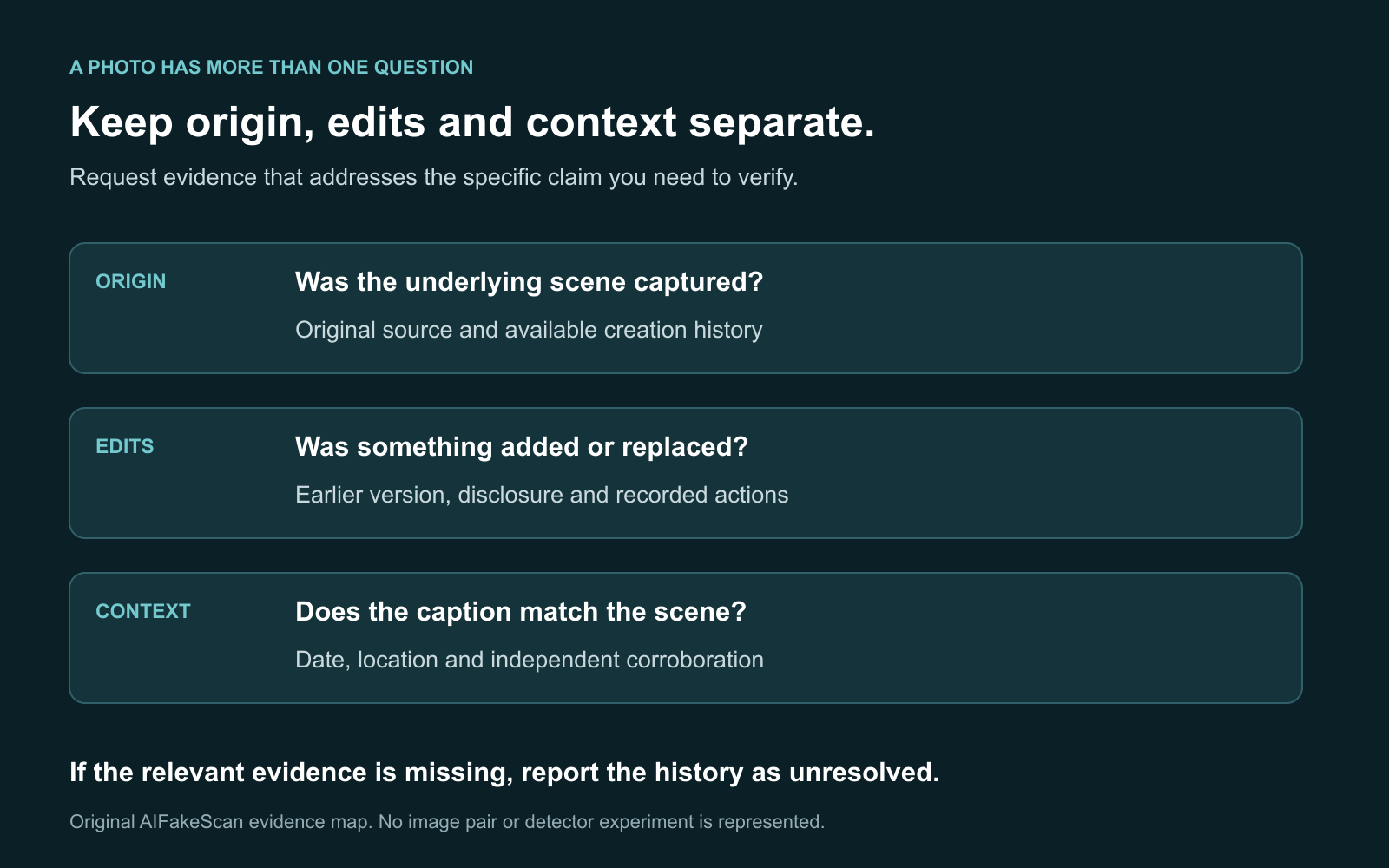
This is a conceptual evidence map. It does not show detector output or a tested real-versus-synthetic image pair.
A useful comparison record includes the source of both files, whether they are full images or crops, and the specific change under review. If you only have one compressed screenshot, write that limitation down instead of treating the unseen original as examined.
Can you identify AI photos from hands, skin or text?
These details can guide a closer look, but they should not decide the case. Compare the suspect feature with its surroundings and ask whether blur, perspective, lighting or conventional editing provides another explanation.
For a portrait, inspect contact between fingers and held objects, the relationship between glasses and the face, or lettering that should remain consistent on one item. Avoid turning smooth skin or an unusual face into an accusation. Describe the observed inconsistency before assigning a cause.
For a landscape or property image, inspect how structures connect and how reflections relate to the scene. A railing merging into a wall is a useful observation to investigate. A visually coherent building is still not proof that the listed property exists.
Visual inspection has the same boundary in both directions: an odd detail does not establish AI generation, and a realistic appearance does not establish camera origin. Find evidence about the production history whenever possible.
How do source search and watermarks help?
Reverse image search can reveal an earlier publication, creator disclosure or different caption. Google's image-context guidance explains the information available through About this image. Use matches to investigate chronology and context; do not read an indexed date as a certified capture date.
If an image predates the event named in a new post, you may have challenged the caption without establishing anything about AI. No accessible match also leaves the source unresolved rather than proving generation.
Watermark checks answer a narrower question. As reviewed on October 12, 2026, Google's Gemini verification instructions describe checking uploaded media for supported SynthID watermarks. Its documented SynthID coverage is Google AI content. Read the actual verification result; a general chatbot opinion about appearance is not the same check.
A detected mark may concern generation or editing, so keep its reported scope. No mark does not rule out other systems. Our SynthID guide explains how to follow an official verification route.
Where does an AI photo detector fit?
Use a detector after identifying the file and question. Read its evidence categories and coverage, then compare its output with the source history. Do not replace a specific editing question with a whole-image score.
The AIFakeScan image detector can inspect supported file evidence. Our methodology explains the current beta limits: calibration and evaluation are incomplete, passive-only results remain Inconclusive, and no validated accuracy percentage or measured AI probability is claimed.
If a result is unresolved, request a better original or clearer history. If two tools disagree, keep their findings separate. The guide to inconclusive image results offers next steps without upgrading uncertainty into a verdict.
What conclusion would you write for a mixed image?
Consider an illustrative portrait scenario. A creator provides an earlier camera photograph and discloses replacing its background with generated scenery. Your question is whether the final portrait is a photograph of the person in that location.
A careful conclusion is: “The creator describes a camera-origin portrait with a generated replacement background. The final image does not establish that the person was photographed in the depicted setting.” That explains the relevant change without suggesting that the person's face was necessarily generated.
Now consider a screenshot with no original, disclosure or useful search match. The appropriate result is unresolved production history. A detector's inconclusive finding cannot fill those missing facts.
I would summarize an AI generated photo vs real photo comparison with four fields:
- Origin: what evidence supports camera capture or generation?
- Changes: what evidence supports an addition, removal or replacement?
- Context: does the image support the date, place or claim attached to it?
- Gaps: what could not be checked, and what material would resolve it?
These examples are explanations of the method, not reported experiments or claims about a particular person's image.
FAQ
Can a real photograph also be AI edited?
Yes. A camera-origin image can contain generated additions or replacements. Describe the supported edit and its scope rather than assuming a single label explains the whole file.
Does a camera name in metadata prove a photo is real?
A camera field alone does not establish the complete history of the pictured scene. Check the original source and available production records before making an authenticity claim.
Do Content Credentials prove that an event happened?
They can provide an attributed, verifiable history about a file. They do not independently establish the factual truth of the event or caption.
Can an AI detector identify exactly which part was edited?
Only if it explicitly provides and runs a suitable localization check. A whole-image signal does not automatically locate a small generated region.
What if you only have a screenshot?
Save its source, search for the underlying image and request an original where possible. Report conclusions as applying to the copy examined and record the missing history.
Your next step
Choose the production claim you need to verify, collect the best file, and compare evidence for origin, edits and context. Use the image detector for supported checks, and follow our video verification checklist when the claim depends on motion or speech.